What Is Asset Management Software — And Why Every Australian Service Business Needs It in 2026

Asset management software is one of the most searched terms by Australian trade businesses — and one of the least well understood. This article explains exactly what it means in a field service context, why it matters far beyond simple tracking, and how TSMPlus delivers it in a way that directly improves business performance.

Asset Management vs. Job Management: The Difference That Matters

Job management software tracks what your technicians are doing. Asset management software tracks what your technicians are doing it to.

That distinction seems subtle but it has enormous practical implications. A job management system tells you that Technician A visited Client X on Tuesday and spent three hours on site. An asset management system tells you that the commercial refrigeration unit at bay 4 of that client’s site has now been serviced eight times, had its compressor replaced in March last year, is due for its next quarterly service in six weeks, and the last test result showed refrigerant levels within acceptable range.

The second version of that information is what protects your business from compliance risk, what wins you multi-year maintenance contracts, and what prevents the 2 AM call-out that could have been avoided.

What Australian Trade Businesses Actually Need to Track

For HVAC, electrical, and refrigeration businesses operating across multiple client sites, the asset register is the operational backbone of the business. The information that needs to be captured and maintained goes well beyond a simple equipment list:

Location data — which site, which building, which floor, which room. For large commercial clients with dozens of plant rooms, this level of specificity saves technicians significant time on every visit.

Installation and warranty information — when was the equipment installed, what are the manufacturer warranty terms, and when does the warranty expire. Missed warranty claims are a direct financial loss.

Service history — every maintenance visit, every repair, every parts replacement, with dates, technician names, and job notes. This history is what you present to clients as evidence that your maintenance obligations have been fulfilled.

Test results and compliance records — for equipment subject to Australian safety standards, the test results from each service visit are regulatory documents. They must be accurate, complete, and retrievable on demand.

Scheduled maintenance intervals — what service is due, how frequently, and who is responsible for performing it.

The Compliance Angle You Cannot Ignore

For many Australian HVAC and electrical contractors, asset management is not just an operational efficiency question — it is a compliance requirement. Electrical safety standards, refrigerant management regulations, and occupational health and safety obligations all require documented evidence that equipment has been maintained to prescribed standards.

A business that cannot produce accurate, complete asset records on demand is exposed in any audit or investigation. The consequences range from lost contracts to regulatory sanctions, and in serious cases, personal liability for business owners.

Spreadsheets and paper records are not defensible compliance documentation at the level that regulators and commercial clients now expect. A digital asset management system that creates an immutable, timestamped record of every service interaction is the only standard that meets modern compliance requirements.

How TSMPlus Asset Management Works in Practice

In TSMPlus, setting up your asset management system is straightforward. Equipment is registered to a client site using a mobile device — a barcode or QR code scan can pull up an existing asset record instantly, or a new asset can be created in minutes with all the relevant fields captured on the spot.

From that point forward, every interaction with that asset — every service visit, every repair, every test result, every compliance document — is automatically linked to its record. The asset builds its own history over time, without anyone needing to manually maintain a spreadsheet or filing cabinet.

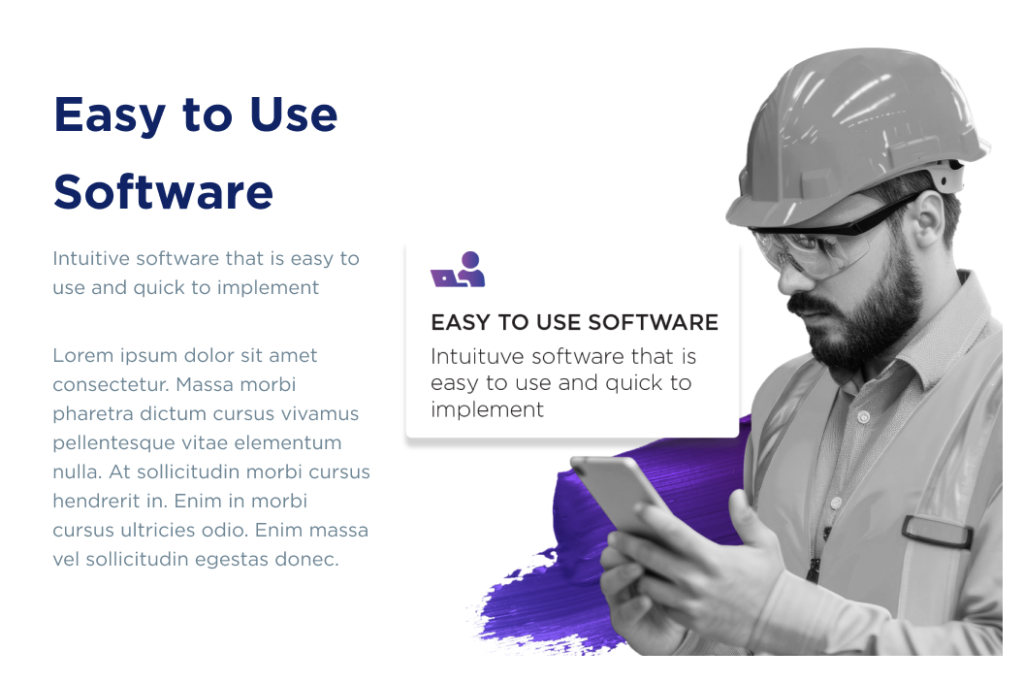
When a technician arrives at a client site, they open the TSMPlus mobile app, scan the asset, and have the complete service history in front of them before they open a panel or touch a control. That context improves diagnostic accuracy, reduces time on site, and increases first-time fix rates — directly impacting your cost per job.

For business owners and managers, the real-time asset dashboard provides visibility across your entire equipment portfolio: what is due, what is overdue, what has been completed, and where compliance gaps exist.

Start your free TSMPlus trial and set up your first digital asset register in under thirty minutes. Visit theservicemanager.com to get started — no credit card required.

How to Build a Preventative Maintenance Schedule That Your Technicians Will Actually Follow

Most preventative maintenance schedules fail within ninety days. Not because the business owner lacks commitment — but because the schedule lives outside the operational system that runs the business day to day. This guide shows you exactly how to build one that sticks.

The businesses that have cracked preventative maintenance at scale share one common characteristic: they did not build a schedule and then try to remember to follow it. They built a schedule that enforces itself — through automated reminders, pre-generated recurring jobs, and a closed-loop system that records every completed service visit against the asset it applies to.

Here is the five-step framework that works in practice.

Step 1: Build a Complete Asset Register

You cannot schedule maintenance for equipment you have not catalogued. The foundation of any preventative maintenance system is a comprehensive asset register — a complete list of every piece of equipment your business is responsible for maintaining.

For each asset, capture: the asset type and model, the installation date, the client site and specific location within that site, the manufacturer’s recommended service interval, the service level your business has contracted to provide, and any regulatory compliance requirements that apply.

For many businesses, this step alone reveals significant gaps. Equipment that was installed years ago and has been maintained informally. Client sites where nobody is sure exactly how many units are on the register. Assets where the service interval has not been reviewed since installation.

A digital asset register — rather than a spreadsheet — gives you a living document that is updated every time a technician interacts with the equipment. Over time, it becomes the most valuable operational record your business has.

Step 2: Set Service Levels by Asset Type and Risk

Not all equipment requires the same maintenance frequency. A commercial refrigeration unit in a food retail environment has a different risk profile and service requirement than an air conditioning system in an office building.

Segment your asset register by equipment type and set service levels accordingly. Consider regulatory requirements — some equipment categories have mandatory inspection intervals under Australian standards. Consider client contract terms — if your maintenance agreement specifies quarterly visits, that is your minimum frequency. And consider the consequence of failure — high-risk equipment in critical environments should be on more frequent schedules.

Document these service levels explicitly. When a technician asks why an asset is scheduled for a particular interval, the answer should be in the system, not in someone’s memory.

Step 3: Build Recurring Job Templates

Manual scheduling is the most common point of failure in preventative maintenance programs. If someone has to remember to create the job, eventually they will not remember.

Recurring job templates solve this. A template defines everything about a maintenance visit: what work needs to be done, what parts are typically required, what compliance documentation needs to be completed, and how long the job should take. When the service interval triggers, the system creates the job automatically, pre-populated with all of this information.

The technician arrives on site knowing exactly what they need to do, with the right tools and parts, and with the documentation requirements built into the job card. There is no ambiguity and no opportunity for the visit to be forgotten.

Step 4: Use Threshold-Based Alerts

Calendar reminders are passive. They appear, get snoozed, and eventually disappear. What you need instead are threshold-based alerts tied directly to your operational system — notifications that trigger when a scheduled job is approaching its due date and has not yet been booked, or when an asset’s service interval has been exceeded.

These alerts should be visible to both the office team and the relevant technicians. They should escalate if not acted on. And they should be logged, so that if a maintenance visit is delayed for any reason, there is a documented record of when the alert was raised and what decision was made.

Step 5: Close the Loop with Asset History

This is the step most businesses miss — and it is the one that makes everything else stick.

Every completed maintenance visit must feed back into the asset record. The date of service, the technician who performed the work, the test results, any parts replaced, any compliance documentation completed. This creates a continuous service history that proves to clients — and to regulators — that maintenance has been performed as required.

It also automatically calculates the next due date, triggering the recurring job creation cycle for the following service interval. The schedule perpetuates itself without manual intervention.

How TSMPlus Handles All Five Steps in One Platform

TSMPlus was built to execute exactly this framework at scale. The asset register, service level configuration, recurring job templates, threshold alerts, and closed-loop history recording are all native features of the platform — not integrations, not workarounds.

From the moment a piece of equipment is registered in TSMPlus, its entire maintenance lifecycle is managed automatically. Technicians in the field get real-time access to asset history on their mobile. The office has complete visibility over what is due, what is overdue, and what has been completed. Nothing falls through the cracks.

See how TSMPlus maintenance scheduling works in practice. Book a demo at theservicemanager.com and let us show you how Australian trade businesses are building maintenance systems that run themselves.

Job Management Software for Australian Trade Businesses: What to Look For in 2026

Search ‘job management software Australia’ and you will find a long list of platforms all claiming to solve the same problems. Scheduling, invoicing, job tracking, mobile access — every vendor promises it all. The reality is that most of these tools were not built for the specific operational requirements of Australian HVAC, refrigeration, and electrical businesses. This guide cuts through the noise.

Choosing the wrong platform is not just an inconvenience. It means a disrupted workflow during implementation, a team that resists adoption, and often a second migration eighteen months later when the gaps become undeniable. Getting this decision right the first time matters — and that starts with knowing exactly what to look for.

Why Generic Job Management Tools Fall Short

Many of the most heavily marketed job management platforms in Australia were originally built for IT service operations, small residential trade teams, or international enterprise markets. They have been adapted for the Australian trades market — but adaptation is not the same as purpose-built design.

The differences show up in the details. Asset management systems that cannot handle multi-site equipment registers. Scheduling tools that work for a five-person team but break down at twenty. Compliance features that were added as afterthoughts rather than embedded in the workflow. Mobile apps that require constant connectivity in environments where signal is inconsistent.

For a growing Australian HVAC or electrical business, these gaps are not minor annoyances. They directly impact your ability to win maintenance contracts, pass compliance audits, and scale your team without proportionally scaling your admin overhead.

The 7 Features That Actually Matter

When evaluating job management software for a mid-market Australian trade business, these are the capabilities that genuinely move the needle:

Real-time scheduling and dispatch. Not a static calendar that gets updated at the start of each day — a live board that reflects technician locations, availability, and job status as they change throughout the day. When a job runs long or a client cancels, you need to redeploy instantly.

Asset tracking and service history. Every piece of equipment your business maintains should have a digital record showing its full lifecycle — installation, service visits, test results, parts replaced, and compliance documentation. Technicians should be able to access this from their mobile before they arrive on site.

Compliance documentation embedded in job workflows. SWMS, safety checklists, test records, and certifications should be captured as a natural part of completing a job — not as a separate administrative task that happens later, if at all.

Mobile access that works offline. Trade businesses work in basements, plant rooms, remote sites, and industrial facilities where connectivity is unreliable. Your mobile app needs to function fully without a live internet connection and sync when connectivity is restored.

On-site quoting and invoicing. The faster you can quote and invoice, the faster you get paid. Job management software that enables technicians to generate quotes and invoices on site — integrated directly with your accounting platform — eliminates the 7–10 day billing delay that drains working capital from most manual trade businesses.

Business reporting and job costing. You should be able to see, at any moment, which job types are most profitable, which technicians are most efficient, and where your margins are being eroded. Waiting until month-end for this information means making decisions too late.

Australian data hosting. For businesses managing client compliance data, equipment histories, and financial records, where your data is stored matters for both regulatory compliance and practical data sovereignty. A platform hosted on Australian soil is a non-negotiable for many commercial clients.

What Enterprise-Level Capability Actually Looks Like

There is a common misconception that enterprise-grade field service software is only relevant for large corporations. In practice, the operational needs of a well-run fifteen-technician HVAC business are more complex than many enterprise IT service desks. You are managing mobile workers across multiple sites, tracking physical assets, ensuring regulatory compliance, and running a cash-intensive service operation — simultaneously.

Enterprise-level capability for a business at this scale means having the depth to handle complexity without requiring complexity to operate. Powerful scheduling that a dispatcher can learn in a day. Asset management that a technician can navigate on a phone in a plant room. Reporting that gives the owner visibility without requiring them to build custom spreadsheet models.

How TSMPlus Delivers All 7 Without the Complexity

TSMPlus was developed over more than 30 years of working directly with Australian HVAC, refrigeration, and electrical businesses. It is not a global platform adapted for the Australian market — it was built here, for this market, based on direct experience with the operational realities that these businesses face.

The platform is hosted entirely within Microsoft Azure’s Australian data centres. Every feature — scheduling, asset management, compliance documentation, mobile access, quoting, invoicing, and reporting — is built into a single integrated platform. There is no need to stitch together four different tools and manage the gaps between them.

TSMPlus is also designed to scale. The same platform that works for a five-technician team also handles the operational complexity of a fifty-technician enterprise. You do not outgrow it at the point where growth matters most.

Before you make your next software decision, it is worth seeing how a platform purpose-built for your industry actually operates in practice. The difference between a generic tool and a fit-for-purpose platform becomes obvious very quickly.

See TSMPlus in action. Start your free trial or book a live demo at theservicemanager.com — and see for yourself why Australian HVAC and electrical businesses are choosing the platform built for them.

The Real Cost of Reactive Maintenance: Why Australian HVAC and Electrical Businesses Need to Act Before Equipment Fails

If your HVAC or electrical business is still waiting for the phone to ring before you act, you are not running a service operation. You are running a reactive emergency response unit — and the financial cost of that model is far higher than most business owners realise.

Reactive maintenance is the default operating mode for a significant portion of Australian trade businesses. Equipment fails. The client calls. You scramble to send someone. The job gets done. Everyone moves on. It feels normal because it is common — but common and profitable are not the same thing.

This article breaks down exactly what reactive maintenance is costing your business, why the problem is getting worse in 2026, and how the businesses that are winning right now have shifted to a preventative model powered by smart field service management software.

The True Dollar Cost of a Reactive Call-Out

Let’s start with the numbers. Industry benchmarks consistently show that reactive maintenance costs two to three times more per job than a scheduled preventative visit. That gap exists for several compounding reasons.

First, emergency call-outs almost always involve unplanned travel. Your technician is pulled from another job or dispatched from the depot without an optimised route. Travel time is billable in some cases, but the overhead cost — fuel, vehicle wear, lost productive hours — falls on the business regardless.

Second, reactive jobs are almost always harder to resource correctly. Without advance notice, your technician may arrive without the exact parts needed. That creates a second visit, which doubles your labour cost for the job and delays the invoice. Parts that could have been ordered at standard cost now need to be sourced urgently, often at a premium.

Third, reactive work disrupts your entire schedule. Every emergency call-out that bumps a planned job creates a ripple effect across your dispatch board. That planned job now runs late, your client relationships are strained, and your technicians end their day behind — increasing overtime exposure.

For a business running ten technicians doing even five reactive jobs per week, the hidden cost adds up to tens of thousands of dollars annually in avoidable overhead. That is money that could be sitting in your bank account if the maintenance had been scheduled and executed before the failure occurred.

Why the Problem Is Getting Worse in 2026

The reactive maintenance trap has always been expensive. But in 2026, the stakes are significantly higher for two reasons: labour shortages and rising client expectations.

Australia’s skilled trades sector is facing a genuine structural shortage. The electrical industry alone is projected to face a deficit of more than 17,000 workers by 2030. HVAC and refrigeration businesses are already competing aggressively for a shrinking pool of qualified technicians — and wage growth has reflected that pressure, with some sectors seeing increases of more than 20% over the past three years.

When every technician is expensive and hard to replace, wasting their time on preventable emergency jobs is a far more costly problem than it was five years ago. Every hour a skilled technician spends on a reactive call that could have been a scheduled visit is an hour that could have been used on higher-margin planned work.

At the same time, client expectations have permanently shifted. Commercial clients — body corporates, facility managers, retailers, and industrial operators — now expect documented maintenance histories, compliance records, and proactive communication. They do not want to call you. They want you to tell them when maintenance is due and then do it, with a record that proves it was done correctly.

Businesses that cannot demonstrate this level of operational maturity are losing contracts to competitors who can.

What Falls Through the Cracks Without a Preventative System

The challenge with preventative maintenance is not intent — most HVAC and electrical business owners understand its value. The challenge is execution at scale without the right systems.

When maintenance schedules live in spreadsheets, shared calendars, or the memory of your most experienced admin person, they are fragile. Staff change. Spreadsheets get out of date. Reminder emails get missed. Before long, a client site that should have been visited quarterly is running on an eighteen-month service interval and nobody noticed.

The consequences are not just operational. A missed maintenance visit that leads to an equipment failure can void a manufacturer warranty, create a compliance liability, or cost you the contract. For businesses operating in regulated industries — food retail, healthcare, commercial property — the implications can be severe.

How Preventative Maintenance Drives Recurring Revenue

There is a more optimistic framing here that is worth focusing on: preventative maintenance is not just a cost-saving measure. Done well, it is a recurring revenue engine.

Clients who sign preventative maintenance agreements become your most predictable income stream. They pay on a schedule. They require regular technician visits. They renew because the relationship is built on consistent, documented service delivery. They are also far less likely to shop around, because switching to a new contractor means starting over with asset registers and service histories.

The businesses in Australian field service that have built the strongest financial foundations are almost universally those with a high proportion of revenue from maintenance contracts. And the businesses winning those contracts are the ones that can demonstrate — with data — that they have the systems to deliver.

How TSMPlus Automates Your Preventative Maintenance

TSMPlus was built around the operational needs of Australian HVAC, refrigeration, and electrical businesses. Preventative maintenance automation is not a bolt-on feature — it is at the core of how the platform works.

Inside TSMPlus, every asset your business maintains has a complete digital profile: location, installation date, service level, maintenance history, test results, photos, and compliance records. When a maintenance interval is due, the system automatically generates a job, assigns it to the appropriate technician based on availability and skill, and sends alerts to both the office and the field.

Technicians arrive on site with full asset history visible on their mobile device. They complete the job, record the test results, capture any compliance documentation, and close the job — all from their phone. That data flows directly back to the asset record, updating the service history in real time.

Nothing falls through the cracks. No maintenance call gets missed. And your compliance documentation is always current, accurate, and retrievable in seconds.

The transition from reactive to preventative does not happen overnight — but with the right platform, it happens faster than most business owners expect. And the financial difference is immediate and measurable.

Stop reacting and start scheduling. Book your TSMPlus demo today and see how Australian trade businesses are building maintenance revenue streams with purpose-built field service management software. Visit theservicemanager.com to get started.

Why Asset Management Software Is Essential for Service-Based Businesses

Running a service-based business often means juggling equipment, tools, and resources across multiple jobs, teams, and locations. When these assets aren’t properly tracked or managed, small inefficiencies can quickly turn into costly problems. This is why asset management software has become such an important tool for modern service operations.

Centralizing Asset Information

One of the biggest challenges service businesses face is keeping track of their assets in a consistent and organized way. Many companies still rely on spreadsheets or scattered systems, which can lead to outdated or inaccurate information.

Asset management software solves this by bringing all asset data into one centralized platform. From purchase details to usage history, everything is stored in one place. This makes it easier for teams to access accurate information whenever they need it, improving coordination and reducing errors.

Real-Time Tracking and Visibility

Service teams are often mobile, working across different sites and relying on specific tools or equipment to get the job done. Without clear visibility, assets can easily be misplaced, double-booked, or underutilized.

Asset management software provides real-time tracking, allowing businesses to see where assets are, how they’re being used, and whether they’re available. This level of visibility helps ensure that the right resources are always in the right place at the right time.

Better Cost Control

Poor asset management can quietly drain a company’s budget. Duplicate purchases, unused equipment, and unexpected repairs all add up over time.

With asset management software, businesses gain better insight into asset usage and lifecycle. This allows them to make smarter decisions about when to repair, replace, or retire assets. As a result, companies can reduce unnecessary spending and maximize the value of their investments.

Proactive Maintenance Management

Equipment failure can disrupt service delivery and damage customer relationships. Waiting until something breaks is rarely a good strategy.

Asset management software enables preventive maintenance by scheduling regular servicing and sending alerts for upcoming tasks. It also keeps a detailed record of maintenance history, helping teams identify recurring issues and address them before they escalate. This proactive approach reduces downtime and extends the lifespan of assets.

Improved Productivity for Teams

Time spent searching for tools, verifying availability, or updating records manually takes away from more important work. These small inefficiencies can significantly impact overall productivity.

By automating routine tasks and providing easy access to asset information, asset management software allows employees to focus on delivering quality service. Field technicians, in particular, benefit from mobile access, enabling them to quickly check asset details while on-site.

Supporting Compliance and Accountability

Many service-based industries are required to maintain accurate records of asset usage, maintenance, and safety checks. Managing this manually can be both time-consuming and risky.

Asset management software simplifies compliance by automating documentation and generating reports when needed. This not only saves time but also ensures that businesses are prepared for audits and regulatory requirements.

Data-Driven Decision Making

Making informed decisions requires reliable data. Without it, businesses are often left guessing about asset performance and resource allocation.

Asset management software provides detailed analytics and reporting features. Companies can track trends, measure performance, and identify areas for improvement. This allows decision-makers to plan more effectively and respond quickly to changing demands.

Scaling with Business Growth

As a service-based business grows, so does the complexity of managing its assets. What worked for a small team may not be effective at a larger scale.

Asset management software is designed to grow alongside the business. It can handle increased asset volumes, additional users, and more complex workflows without losing efficiency. This makes it a long-term solution rather than a temporary fix.

Enhancing Customer Satisfaction

At the end of the day, service businesses are judged by their ability to deliver reliable and timely results. Asset-related issues can lead to delays, cancellations, or inconsistent service quality.

By ensuring that assets are well-managed and readily available, asset management software helps businesses deliver a smoother and more dependable customer experience. This reliability builds trust and encourages long-term client relationships.

Enabling Digital Transformation

Digital tools are reshaping how service businesses operate, and asset management software plays a key role in this transformation. It provides a foundation for integrating advanced technologies such as automation, IoT, and predictive analytics.

Businesses that invest in asset management software are better equipped to adapt to new technologies and stay competitive in a rapidly evolving market.

Conclusion

Asset management software is more than just a tracking tool—it’s a strategic asset in itself. By improving visibility, reducing costs, and streamlining operations, it helps service-based businesses operate more efficiently and deliver better results.

As demands continue to grow and competition increases, having a reliable system in place is no longer optional. For many service organizations, asset management software is the difference between staying reactive and becoming truly proactive.

How to Choose the Best Field Service Management Software for Your Trade Business

Choosing the Best Field Service Management Software for your trade business can be the difference between smooth, profitable operations and constant scheduling headaches. Whether you run an HVAC company, plumbing service, electrical business, or maintenance team, the right software helps you streamline workflows, reduce costs, and deliver better customer service.

But with so many options available, how do you choose the right one? Understanding what features matter most and how they align with your business needs is key to making the right decision.

What Is Field Service Management Software?

Field service management (FSM) software is a digital solution designed to manage and optimize field operations. It typically includes tools for scheduling, dispatching, job tracking, inventory management, and customer communication—all in one platform.

By replacing manual processes with automated workflows, FSM software helps businesses coordinate technicians, manage jobs efficiently, and improve overall productivity.

Why Choosing the Right Software Matters

Not all FSM tools are created equal. The wrong system can lead to inefficiencies, poor adoption by your team, and wasted investment. On the other hand, the right software can:

  • Increase productivity and efficiency
  • Reduce paperwork and manual errors
  • Improve customer satisfaction
  • Boost profitability

FSM software streamlines scheduling, dispatching, and resource allocation, allowing teams to complete more jobs in less time.

That’s why selecting the right solution is a critical decision for any trade business.

Key Factors to Consider When Choosing the Best Field Service Management Software

1. Ease of Use and Mobile Accessibility

Your technicians are always on the move, so your software must be easy to use on mobile devices. A user-friendly interface ensures quick adoption and reduces training time.

Modern FSM tools allow technicians to access job details, update statuses, and communicate with the office in real time, all from their smartphones or tablets.

If your team struggles to use the system, it defeats the purpose of improving efficiency.

2. Scheduling and Dispatching Capabilities

Efficient scheduling is the backbone of any field service business. Look for software that offers automated scheduling and intelligent dispatching.

These features help assign the right technician based on availability, location, and skill set—reducing travel time and improving response rates.

3. Work Order Management

A strong work order system ensures that every job is tracked from start to finish. This includes job creation, assignment, progress tracking, and invoicing.

With full visibility into each job, you can avoid delays, reduce errors, and keep operations running smoothly.

4. Real-Time Tracking and Visibility

Real-time tracking allows you to monitor technician locations, job progress, and service status.

This visibility helps managers make quick decisions, adjust schedules, and handle unexpected issues efficiently. It also improves accountability across your team.

5. Integration with Other Systems

Your FSM software should integrate seamlessly with your existing tools, such as accounting software, CRM systems, and inventory management platforms.

Integration eliminates duplicate data entry and ensures smooth information flow across your business.

6. Reporting and Analytics

Data-driven decision-making is essential for growth. Look for software that provides detailed reports and analytics on key metrics like job completion rates, technician performance, and revenue.

These insights help identify bottlenecks and improve operational efficiency over time.

7. Scalability

Your business will grow, and your software should grow with it. Choose a solution that can scale as you add more technicians, services, or locations.

Cloud-based platforms are particularly beneficial, as they allow easy expansion and remote access.

8. Customer Communication Features

Customer expectations are higher than ever. The best FSM software includes tools for automated notifications, appointment reminders, and real-time updates.

Better communication leads to improved customer satisfaction and stronger relationships.

9. Cost and ROI

Price is always a factor, but it shouldn’t be the only one. Focus on the value the software provides rather than just the upfront cost.

FSM solutions often deliver ROI through increased productivity, reduced operational costs, and faster job completion.

Common Mistakes to Avoid

When choosing field service management software, avoid these common pitfalls:

  • Choosing based on price alone
  • Ignoring user experience
  • Overlooking integration capabilities
  • Not considering future scalability

The best solution is one that fits your specific business needs—not just the most popular or cheapest option.

Final Thoughts

Selecting the Best Field Service Management Software is a strategic investment in your business’s future. The right platform will streamline operations, empower your technicians, and enhance customer satisfaction.

By focusing on essential features like scheduling, real-time tracking, mobile access, and integration, you can find a solution that truly supports your growth.

Discover Smarter Field Service Management with TSMPlus

If you’re looking for a powerful, easy-to-use solution tailored for trade businesses, TSMPlus from The Service Manager is worth exploring. Designed to simplify field operations, TSMPlus helps you manage jobs, streamline workflows, and improve team productivity—all in one platform.

How Service Management Tools Improve Efficiency in Field Operations

Field operations are the backbone of many industries, from utilities and telecommunications to HVAC and maintenance services. However, managing technicians, schedules, and customer expectations in real time can be complex. This is where service management tools step in. These digital solutions streamline workflows, enhance communication, and significantly improve operational efficiency.

In today’s competitive landscape, businesses that rely on field services must adopt smarter systems to stay ahead. Service management tools provide a centralized platform to coordinate activities, automate tasks, and deliver better customer experiences, all while reducing operational costs.

What Are Service Management Tools?

Service management tools, often referred to as field service management (FSM) software, are platforms designed to manage and optimize field operations. They help organizations schedule jobs, dispatch technicians, track progress, and manage customer interactions from a single interface.

These tools integrate various functions such as work order management, inventory tracking, and real-time communication. By digitizing manual processes, businesses can eliminate inefficiencies and gain better control over their operations.

Key Ways Service Management Tools Improve Efficiency

1. Automated Scheduling and Dispatching

One of the biggest challenges in field operations is assigning the right technician to the right job at the right time. Service management tools use intelligent scheduling systems to automate this process.

By considering factors like technician availability, skill set, and location, these tools ensure optimal job assignments. This reduces travel time, minimizes delays, and increases the number of jobs completed per day. 

2. Real-Time Visibility and Tracking

Service management tools provide real-time visibility into field activities. Managers can track technician locations, monitor job progress, and receive instant updates.

This transparency allows for quick decision-making and better resource allocation. If an issue arises, schedules can be adjusted immediately, ensuring minimal disruption to operations. 

3. Workflow Automation

Manual processes can slow down operations and lead to errors. Service management tools automate repetitive tasks such as work order creation, invoicing, and reporting.

Automation not only saves time but also ensures consistency and accuracy. Technicians can focus on completing tasks rather than handling paperwork, leading to higher productivity.

4. Improved Communication

Effective communication is critical in field operations. Service management tools enable seamless communication between field technicians, dispatchers, and customers.

Technicians can access job details, customer history, and instructions on their mobile devices. At the same time, managers can send updates or resolve issues instantly, reducing misunderstandings and delays.

5. Enhanced Productivity

By reducing manual tasks and streamlining workflows, service management tools significantly boost productivity. Technicians can complete more jobs in less time, while managers can oversee operations more efficiently.

Structured systems also help employees understand processes clearly, reducing confusion and improving overall performance. 

6. Better Resource Management

Service management tools provide insights into workforce performance, equipment usage, and inventory levels. This data helps businesses allocate resources more effectively.

For example, managers can assign jobs based on technician expertise or ensure that the necessary tools and parts are available before dispatch. This reduces downtime and increases efficiency.

7. Cost Reduction

Efficiency improvements naturally lead to cost savings. By automating processes, reducing errors, and optimizing routes, service management tools lower operational expenses.

Businesses can also track costs more accurately, enabling better budgeting and financial planning. Over time, this results in a higher return on investment (ROI). 

8. Data-Driven Decision Making

Modern service management tools come equipped with analytics and reporting features. These tools collect data from field operations and provide insights into performance metrics.

Managers can analyze trends, identify bottlenecks, and make informed decisions to improve operations. This data-driven approach ensures continuous improvement and long-term success. 

9. Improved Customer Satisfaction

Customers expect fast, reliable, and transparent service. Service management tools help businesses meet these expectations by providing accurate scheduling, real-time updates, and efficient service delivery.

When technicians arrive on time and complete jobs effectively, customer satisfaction increases. This leads to stronger relationships and higher customer retention rates. 

The Role of Digital Transformation in Field Operations

Service management tools are a key component of digital transformation in field operations. They replace outdated, paper-based systems with modern, data-driven solutions.

With technologies like mobile apps, cloud computing, and AI, businesses can operate more efficiently and adapt to changing demands. Digital transformation not only improves current operations but also prepares organizations for future growth.

Conclusion

Service management tools have become essential for businesses that rely on field operations. By automating processes, improving communication, and providing real-time insights, these tools significantly enhance efficiency.

Organizations that invest in service management solutions can streamline their operations, reduce costs, and deliver superior customer experiences. In an increasingly competitive market, adopting these tools is no longer optional, it’s a necessity for sustainable growth.

Service Field Management Software: The Ultimate Guide for Trade Businesses

Trade businesses operate in a results-driven environment where time, coordination, and customer satisfaction directly impact profitability. Whether you manage an electrical company, HVAC&R service team, plumbing operation, or maintenance crew, staying organised is critical. As workloads increase and customer expectations rise, manual systems simply cannot keep up. This is why service field management software has become an essential tool for modern trade businesses.

In this ultimate guide, we’ll explore what service field management software is, how it works, and why it plays a vital role in helping trade businesses streamline operations and grow sustainably.

What Is Service Field Management Software?

Service field management software is a digital platform designed to manage the entire lifecycle of field service operations. It centralises scheduling, dispatching, job tracking, reporting, invoicing, inventory management, and communication in one system.

Instead of relying on paper job cards, spreadsheets, or disconnected apps, trade businesses gain a unified view of their operations. Solutions like TSMPlus bring these capabilities together in a user-friendly platform built specifically for service-based teams.

Why Trade Businesses Need It

Trade businesses face unique operational challenges:

  • Coordinating multiple technicians across different locations
  • Managing urgent call-outs and schedule changes
  • Tracking parts and equipment
  • Ensuring accurate invoicing
  • Maintaining strong communication between office and field teams

Without the right tools, these challenges create inefficiencies that cost time and money. Service field management software addresses these issues by creating structure and visibility across the organisation.

Key Features That Drive Efficiency

1. Smart Scheduling and Dispatch

Efficient scheduling is the backbone of daily operations. Service field management software provides real-time visibility into technician availability and job status. Managers can assign work quickly, adjust schedules instantly, and reduce travel inefficiencies.

This ensures the right technician is sent to the right job at the right time.

2. Mobile Access for Technicians

Technicians need immediate access to job details while in the field. With mobile functionality, they can view customer history, site notes, equipment details, and service instructions directly from their device.

This preparation improves first-time fix rates and reduces unnecessary return visits.

3. Digital Job Cards and Reporting

Paper-based documentation slows down operations and increases errors. Digital job management tools allow technicians to complete reports, capture photos, log materials used, and collect customer signatures on-site.

All information is synced in real time, improving accuracy and eliminating lost paperwork.

4. Faster Invoicing and Billing

One of the biggest advantages of service field management software is improved billing efficiency. Once a job is completed, invoices can be generated quickly because all relevant data is already recorded.

This shortens payment cycles and strengthens cash flow—an important factor for growing trade businesses.

5. Inventory and Asset Management

Managing stock manually can lead to shortages or overstocking. Service field management software provides real-time tracking of inventory across warehouses and service vehicles.

This ensures technicians have the right parts before leaving for a job, reducing delays and improving service consistency.

6. Performance Reporting and Insights

Data-driven decision-making is essential for growth. Service field management software collects operational data such as job duration, technician productivity, and service trends.

With clear reports and dashboards, business owners can identify bottlenecks, optimise staffing, and plan future expansion more effectively.

Benefits Beyond Daily Operations

While the immediate impact is improved efficiency, the long-term benefits are even more significant.

  • Increased technician productivity
  • Better customer satisfaction
  • Stronger financial performance
  • Reduced administrative workload
  • Improved operational visibility
  • Greater scalability

By streamlining processes and standardising workflows, service field management software allows trade businesses to operate more predictably and professionally.

How to Choose the Right Software

Not all platforms are created equal. When selecting service field management software, trade businesses should look for:

  • Ease of use for both office staff and technicians
  • Mobile accessibility
  • Integrated scheduling and invoicing
  • Inventory tracking capabilities
  • Scalable features that support growth
  • Reliable customer support

The right solution should simplify operations, not complicate them.

A Smart Step Toward Operational Excellence

For trade businesses ready to modernise, adopting service field management software is more than a technological upgrade; it’s a strategic investment. Platforms like TSMPlus offer an integrated solution tailored to the real-world needs of trade teams, combining scheduling, communication, digital reporting, and billing into one streamlined system.

By implementing the right tools, trade businesses can improve daily efficiency, strengthen customer relationships, and build a foundation for sustainable growth.

If you’re looking to enhance your operational control and deliver more consistent service, exploring a comprehensive solution like TSMPlus could be the next step toward long-term success.

How Field Management Software Transforms Daily Operations for Trade Businesses

Trade businesses operate in a fast-paced environment where timing, coordination, and accuracy determine success. Electricians, HVAC&R technicians, plumbers, and maintenance teams juggle multiple jobs each day while ensuring customers receive prompt and professional service. As workloads grow, manual systems and disconnected tools can create inefficiencies that slow everything down. This is where field management software transforms daily operations, bringing structure, visibility, and control to trade businesses.

Modern platforms such as TSMPlus are designed to streamline field service workflows, helping trade businesses simplify processes while maintaining high service standards.

Bringing Structure to Daily Scheduling

One of the most significant operational challenges for trade businesses is scheduling. Assigning the right technician to the right job at the right time requires careful coordination. Without a digital system, managers often rely on phone calls, spreadsheets, or whiteboards, which can lead to errors or missed appointments.

Field management software centralises scheduling, giving managers real-time visibility into technician availability, job priorities, and locations. Adjustments can be made quickly when urgent jobs arise, ensuring the day stays on track and resources are used efficiently.

Improving Communication Between Office and Field

Communication gaps can create delays and frustration. Technicians may arrive on-site without complete job details, or office staff may not know the current status of ongoing work. Field management software eliminates these gaps by creating a connected system where information flows instantly.

Technicians can access job notes, customer history, photos, and service requirements directly from their devices. Meanwhile, office teams receive real-time updates as work progresses. This level of connectivity improves coordination and reduces misunderstandings.

Reducing Paperwork and Manual Processes

Paper-based workflows slow down daily operations and increase the risk of lost information. Field management software replaces manual job cards and handwritten notes with digital reporting tools.

With solutions like TSMPlus, technicians can complete job forms, upload images, capture customer signatures, and log materials used directly from the field. This eliminates unnecessary paperwork and allows administrative staff to focus on higher-value tasks instead of data entry.

Faster Invoicing and Better Cash Flow

In many trade businesses, invoicing is delayed because paperwork takes time to return to the office. Field management software connects job completion directly to billing, enabling invoices to be generated promptly.

Faster invoicing leads to quicker payments, improving cash flow and financial stability. Over time, this streamlined process has a noticeable impact on overall business performance.

Enhancing Technician Productivity

When technicians have clear instructions and access to accurate information, they work more efficiently. Field management software provides job history, equipment details, and required parts before technicians arrive on-site.

This preparation reduces repeat visits and improves first-time fix rates. Technicians spend less time searching for information and more time completing jobs, boosting daily productivity without increasing working hours.

Better Inventory and Resource Control

Managing parts and equipment manually can lead to shortages or overstocking. Field management software provides real-time inventory visibility, helping managers track stock levels across vehicles and storage locations.

By ensuring technicians have the right parts before leaving for a job, businesses reduce delays and maintain consistent service delivery.

Gaining Real-Time Operational Insights

Field management software does more than streamline tasks—it provides valuable data. Managers can track job progress, technician performance, workload distribution, and service trends in real time.

This visibility allows trade businesses to identify bottlenecks quickly and make informed decisions throughout the day. Instead of reacting to issues after they occur, managers can proactively adjust plans and improve efficiency.

Supporting Growth Without Losing Control

As trade businesses grow, daily operations become more complex. Adding technicians, expanding service areas, and increasing job volumes can strain manual systems. Field management software provides the scalability needed to support growth without creating confusion.

TSMPlus offers an integrated solution that grows alongside your business, helping maintain organisation and control even as operations expand.

Building a More Consistent Customer Experience

Consistency is key to building long-term customer relationships. Field management software standardises workflows, ensuring every job is documented and completed using the same process.

Customers benefit from accurate arrival times, clear communication, and detailed service records. This professionalism strengthens trust and enhances brand reputation.

Transforming Operations for Long-Term Success

Daily operations set the foundation for long-term success. Field management software transforms how trade businesses manage their workforce, handle scheduling, communicate internally, and serve customers.

By bringing clarity and efficiency to everyday tasks, businesses can focus on growth rather than administrative challenges. If your trade business is ready to improve operational control and productivity, exploring how TSMPlus can support your digital transformation is a smart next step.

Best Field Service Management Software for Small & Medium Businesses in 2026

Small and medium businesses in the service industry are entering 2026 with higher customer expectations, tighter competition, and increasing operational demands. Whether you operate in HVAC, electrical, plumbing, maintenance, or other field-based services, efficiency is no longer optional, it is essential. This is why investing in the best field service management software has become a strategic priority for growing businesses.

Field service management software helps small and medium businesses organise their operations, improve communication, and maintain control as they scale. The right solution simplifies daily workflows without adding unnecessary complexity, allowing teams to focus on delivering quality service.

Why SMBs Need Field Service Management Software in 2026

In today’s fast-moving market, manual systems simply cannot keep up. Paper job sheets, spreadsheets, and scattered communication channels create delays and increase the risk of errors. For SMBs with limited administrative resources, these inefficiencies can significantly impact profitability.

The best field service management software centralises scheduling, dispatching, job tracking, invoicing, and reporting in one platform. This visibility allows business owners to make faster decisions and maintain better control over their operations.

Smarter Scheduling and Dispatch

Efficient scheduling is the foundation of successful field service operations. SMBs must ensure technicians are assigned the right jobs based on skill set, availability, and location. Without a digital system, this process becomes time-consuming and prone to mistakes.

Modern field service management software provides real-time scheduling tools that allow managers to assign and adjust jobs quickly. Technicians receive updates instantly, reducing downtime and improving response times.

Improved Communication Between Office and Field

Clear communication is critical for maintaining smooth operations. Miscommunication can lead to missed appointments, incomplete jobs, and dissatisfied customers. The best field service management software bridges the gap between office staff and field technicians through real-time updates and shared job information.

Technicians can access job details, customer history, photos, and notes directly from their devices. Office teams can monitor progress and respond quickly to any changes, ensuring a seamless workflow.

Digital Job Management and Reporting

Paper-based job reporting slows down operations and increases the risk of lost information. Digital job management tools allow technicians to complete job cards, record materials used, capture photos, and collect signatures on-site.

This information is immediately available to the office, reducing administrative work and improving record accuracy. For SMBs looking to operate more efficiently, digital workflows are essential.

Faster Invoicing and Stronger Cash Flow

Cash flow is one of the most important concerns for small and medium businesses. Delayed invoicing leads to delayed payments, which can restrict growth. The best field service management software connects job completion directly to billing, enabling faster and more accurate invoicing.

With automated billing processes, businesses can shorten payment cycles and improve financial stability.

Inventory and Asset Visibility

Managing inventory manually becomes increasingly difficult as businesses grow. Field service management software provides real-time visibility into stock levels, usage patterns, and asset history. This ensures technicians have the right parts before heading to a job, improving first-time fix rates and reducing costly return visits.

Performance Insights for Smarter Decisions

Growth requires data-driven decisions. Modern field service management software includes reporting and analytics tools that provide insights into technician productivity, job duration, revenue trends, and service performance.

With accurate data at their fingertips, SMB owners can identify inefficiencies, adjust strategies, and plan for future expansion with confidence.

Scalability for Growing Businesses

The best field service management software is designed to grow with your business. As you add technicians, expand service areas, or increase job volume, your system should adapt without disrupting operations.

Scalable software ensures your investment continues to deliver value well into the future.

Choosing the Right Solution in 2026

Selecting the best field service management software requires balancing functionality, ease of use, and scalability. SMBs need a solution that is powerful enough to handle growing demands but simple enough for teams to adopt quickly.

An integrated platform that combines scheduling, communication, reporting, invoicing, and inventory management provides the greatest long-term value.

A Smart Option for SMBs in 2026

For small and medium businesses seeking a reliable and scalable solution, TSMPlus offers a comprehensive platform tailored to service operations. TSMPlus brings scheduling, mobile workforce management, digital reporting, inventory control, and invoicing together in one easy-to-use system. Designed with growing service businesses in mind, it provides the structure and flexibility needed to operate efficiently in 2026 and beyond.

If your business is ready to modernise operations and improve productivity, exploring a solution like TSMPlus could be a strategic step toward long-term success.