Live in a week: an honest rollout plan

Live in a week: an honest rollout plan

The question we get asked most often isn’t about features. It’s “how long will this take, and how much of my time is it going to eat?”

The question we get asked most often isn’t about features. It’s “how long will this take, and how much of my time is it going to eat?”

It’s a fair question, and the honest answer is that most software rollouts in this industry go badly for the same two reasons: the business tries to switch everything on at once, and nobody was ever told what week one would actually look like. So here it is — day by day, for a business running around twenty techs.

Before day one: two decisions, one list

You need to decide two things before anyone touches the system. First: which workflow hurts most right now — scheduling, quoting or invoicing? That’s the one you go live with. Second: who owns this internally? One person, usually the operations manager. Not a committee.

Then there’s the list: your customers, your sites, and your active jobs. Most businesses can export that from their accounting system in an afternoon. We do the rest of the data work from there.

Monday: configuration, not training

Day one is us and your operations lead in a room — or on a call — setting the system up around how you already work. Job types, your stages, your invoicing rules, who sees what. This is the part that matters, and it’s the part generic platforms skip: we configure to your process rather than asking you to adopt ours.

Time from your side: about half a day.

It’s worth saying what we do rather than what you do. We handle the data import, the configuration, the accounting integration and the sanity-checking afterwards. What we can’t do is make the decisions — how you want jobs staged, what your invoicing rules are, who’s allowed to change a price. Those need someone from your business in the room, which is why one clear owner matters more than a big committee.

If your process is genuinely unusual — and in HVAC&R and electrical it often is, between site access rules, PO requirements and after-hours rates — this is the day we build around it rather than asking you to change it. That’s the difference between software that sticks and software that gets quietly abandoned in month four.

Tuesday: the office team

Schedulers and admin staff learn the board and the job screen. Two hours, hands on, with real jobs rather than demo data. By the end of the session they’re building jobs faster than they were on the whiteboard — that’s the bar, and if we don’t hit it we keep going until we do.

We start with the jobs already in the diary rather than made-up examples, because the questions people actually have are specific: the customer who wants two POs on one job, the site that needs the same tech every time, the recurring job that has to be split across two months. Answering those in the session is what turns training into confidence.

Expect one person to pick it up in an hour and one person to need a second sitting. That’s normal, and worth planning for rather than pretending everyone learns at the same speed.

Wednesday: the techs

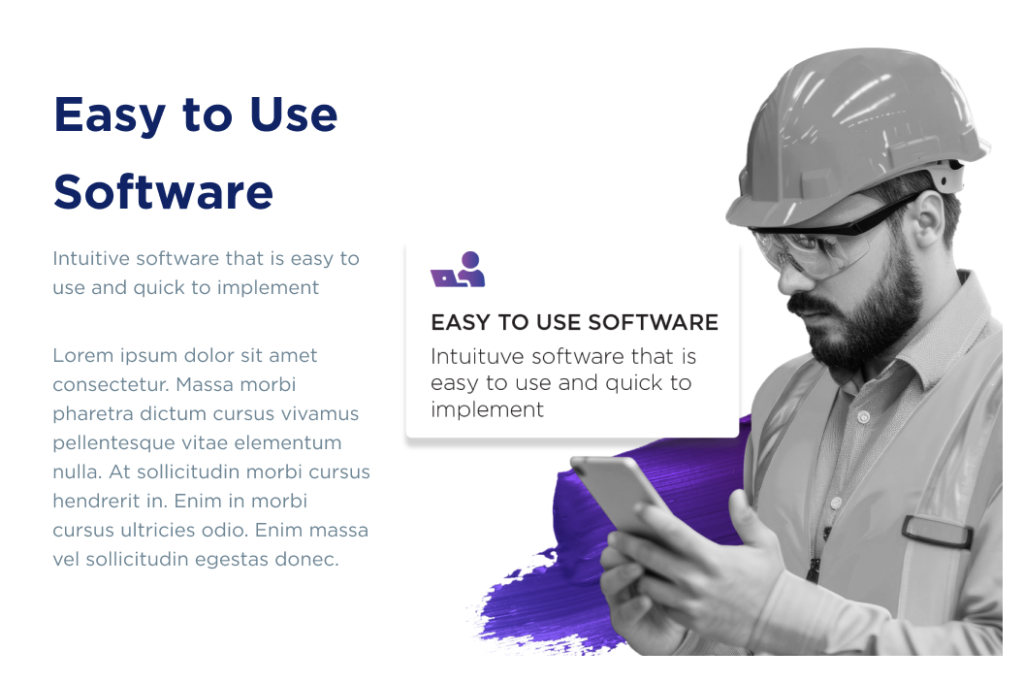
This is the day everyone worries about, and it’s usually the easiest. The mobile app takes about forty minutes to explain, mostly because there isn’t much to explain: here’s your day, here’s the job, here’s the site history, here’s how you sign it off.

Techs aren’t afraid of technology. They’re afraid of software that’s slower than the paper it replaced. If the app doesn’t save them time on the first job, they’ll go back to the docket book and you’ll never get them back — so we design for that first job.

The pitch to the crew is short: you stop writing the same thing twice, you stop driving dockets back to the office, and you stop getting rung at 7pm about a job you did on Tuesday. Framed that way, adoption is rarely the fight people expect.

One thing worth deciding in advance: whether techs capture time as they go or at the end of the day. Both work. Not choosing is what causes the mess.

Thursday: run it in parallel

One day of belt and braces. Jobs go into TSMPlus and the old process keeps running alongside. You’ll find the three or four things nobody thought to mention — the customer who needs two POs, the site that’s technically two sites, the after-hours rate. We fix those on the day.

Parallel running for a single day is deliberate. Run it for a fortnight and you’ll have two half-maintained systems and a team that trusts neither. One day is enough to surface the surprises without letting the old process reassert itself.

Friday: live

Friday you invoice out of TSMPlus. That’s the moment it becomes real, and it’s deliberately the end of week one rather than month three — because the invoicing win is the one everybody in the business feels immediately.

Then you stop. Don’t add modules for a few weeks. Let the new normal settle, then pick the next workflow — purchasing, preventative maintenance, asset registers, project costing.

A realistic month two looks like this: purchasing tied back to jobs so your costing is real, then preventative maintenance contracts generating their own work, then asset registers building themselves off the back of both. Each of those is a couple of hours of setup, not another week.

What actually goes wrong

Three things, in our experience. Dirty customer data that nobody wants to own. A business that tries to switch on eleven workflows in week one. And an owner who delegates it entirely and then changes the rules in week three.

None of those are software problems, which is why we’d rather talk about them before you sign than after.

What it costs you in hours

Add it up: half a day for your operations lead on Monday, two hours for the office team on Tuesday, forty minutes per tech on Wednesday, and a day of mild inconvenience on Thursday. Call it a day and a half of real business time across a week.

Compare that with the number most people carry around in their head — a month of disruption and a system nobody uses. That fear is well earned, but it comes from rollouts that tried to change everything at once, usually with a vendor on another continent.

The other number worth putting next to it is what the current process costs every week. If two people spend an afternoon each chasing dockets and re-keying jobs, that’s a day of wages a week, every week, forever. A day and a half once is not a difficult trade.

And if it does go long — because your data was messier than anyone thought, or a key person was away — you’ll hear it from us early rather than discovering it in week five. Telling you the awkward thing quickly is most of what good implementation actually is.

Ask us for a rollout plan for your business — with dates on it — before you commit to anything. Book a demo, or call 0457 228 884.
Before day one: two decisions, one list

You need to decide two things before anyone touches the system. First: which workflow hurts most right now — scheduling, quoting or invoicing? That’s the one you go live with. Second: who owns this internally? One person, usually the operations manager. Not a committee.

Then there’s the list: your customers, your sites, and your active jobs. Most businesses can export that from their accounting system in an afternoon. We do the rest of the data work from there.

Monday: configuration, not training

Day one is us and your operations lead in a room — or on a call — setting the system up around how you already work. Job types, your stages, your invoicing rules, who sees what. This is the part that matters, and it’s the part generic platforms skip: we configure to your process rather than asking you to adopt ours.

Time from your side: about half a day.

It’s worth saying what we do rather than what you do. We handle the data import, the configuration, the accounting integration and the sanity-checking afterwards. What we can’t do is make the decisions — how you want jobs staged, what your invoicing rules are, who’s allowed to change a price. Those need someone from your business in the room, which is why one clear owner matters more than a big committee.

If your process is genuinely unusual — and in HVAC&R and electrical it often is, between site access rules, PO requirements and after-hours rates — this is the day we build around it rather than asking you to change it. That’s the difference between software that sticks and software that gets quietly abandoned in month four.

Tuesday: the office team

Schedulers and admin staff learn the board and the job screen. Two hours, hands on, with real jobs rather than demo data. By the end of the session they’re building jobs faster than they were on the whiteboard — that’s the bar, and if we don’t hit it we keep going until we do.

We start with the jobs already in the diary rather than made-up examples, because the questions people actually have are specific: the customer who wants two POs on one job, the site that needs the same tech every time, the recurring job that has to be split across two months. Answering those in the session is what turns training into confidence.

Expect one person to pick it up in an hour and one person to need a second sitting. That’s normal, and worth planning for rather than pretending everyone learns at the same speed.

Wednesday: the techs

This is the day everyone worries about, and it’s usually the easiest. The mobile app takes about forty minutes to explain, mostly because there isn’t much to explain: here’s your day, here’s the job, here’s the site history, here’s how you sign it off.

Techs aren’t afraid of technology. They’re afraid of software that’s slower than the paper it replaced. If the app doesn’t save them time on the first job, they’ll go back to the docket book and you’ll never get them back — so we design for that first job.

The pitch to the crew is short: you stop writing the same thing twice, you stop driving dockets back to the office, and you stop getting rung at 7pm about a job you did on Tuesday. Framed that way, adoption is rarely the fight people expect.

One thing worth deciding in advance: whether techs capture time as they go or at the end of the day. Both work. Not choosing is what causes the mess.

Thursday: run it in parallel

One day of belt and braces. Jobs go into TSMPlus and the old process keeps running alongside. You’ll find the three or four things nobody thought to mention — the customer who needs two POs, the site that’s technically two sites, the after-hours rate. We fix those on the day.

Parallel running for a single day is deliberate. Run it for a fortnight and you’ll have two half-maintained systems and a team that trusts neither. One day is enough to surface the surprises without letting the old process reassert itself.

Friday: live

Friday you invoice out of TSMPlus. That’s the moment it becomes real, and it’s deliberately the end of week one rather than month three — because the invoicing win is the one everybody in the business feels immediately.

Then you stop. Don’t add modules for a few weeks. Let the new normal settle, then pick the next workflow — purchasing, preventative maintenance, asset registers, project costing.

A realistic month two looks like this: purchasing tied back to jobs so your costing is real, then preventative maintenance contracts generating their own work, then asset registers building themselves off the back of both. Each of those is a couple of hours of setup, not another week.

What actually goes wrong

Three things, in our experience. Dirty customer data that nobody wants to own. A business that tries to switch on eleven workflows in week one. And an owner who delegates it entirely and then changes the rules in week three.

None of those are software problems, which is why we’d rather talk about them before you sign than after.

What it costs you in hours

Add it up: half a day for your operations lead on Monday, two hours for the office team on Tuesday, forty minutes per tech on Wednesday, and a day of mild inconvenience on Thursday. Call it a day and a half of real business time across a week.

Compare that with the number most people carry around in their head — a month of disruption and a system nobody uses. That fear is well earned, but it comes from rollouts that tried to change everything at once, usually with a vendor on another continent.

The other number worth putting next to it is what the current process costs every week. If two people spend an afternoon each chasing dockets and re-keying jobs, that’s a day of wages a week, every week, forever. A day and a half once is not a difficult trade.

And if it does go long — because your data was messier than anyone thought, or a key person was away — you’ll hear it from us early rather than discovering it in week five. Telling you the awkward thing quickly is most of what good implementation actually is.

Ask us for a rollout plan for your business — with dates on it — before you commit to anything. Book a demo, or call 0457 228 884.

The hidden cost of the paper job sheet

Nobody in this industry loses a job on purpose. They lose it in the gap between a tech finishing at 4:40pm and someone in the office typing it up on Thursday. The docket is in the ute. The ute is at the next site. By the time it lands on a desk, the tech has done six more jobs and can’t remember whether the second contactor went on that unit or the one across the roof.

Everyone knows the paper is a problem. What most businesses have never done is add up what one missing docket actually costs. So let’s do it properly. There are four places a job leaks, and each of them has a number attached.

Leak one: the day nobody can see

Start with the whiteboard. If the schedule lives on a wall, only the people in that room know what today looks like. A breakdown call comes in at 9:15 and the person answering the phone has to guess who’s closest, who’s free, and who’s already running late. They ring two techs to find out. Both of them stop work to answer.

Two interruptions is fifteen minutes across three people. Do that four times a day and you’ve spent the better part of a technician’s afternoon co-ordinating instead of fixing. The cost isn’t the phone call — it’s the job you couldn’t fit in because nobody could see the space.

There’s a quieter cost underneath it. When the person dispatching can’t see the whole day, they send whoever answers rather than whoever is right. The apprentice goes to the site that needed the refrigeration ticket. Someone drives across town past two techs who were closer. None of that shows up as a loss — it shows up as a business that feels busy and isn’t as profitable as it should be.

Leak two: the same job, typed four times

Count the keystrokes on a single service call in most businesses. The job gets written on a docket. The docket gets typed into a spreadsheet or a scheduling tool. The parts get entered again when the supplier invoice arrives. Then the whole thing gets re-entered into the accounting system to raise the invoice.

Four entries, four chances for a number to change. And every one of them is admin time you’re paying for but can’t bill.

The parts are the worst of it. A tech grabs two contactors off the van, notes them on the docket, and the supplier invoice arrives eleven days later under a different description. Somebody has to match them up. When they can’t — and often they can’t — the parts either get missed off the invoice entirely or get charged to an overhead account, and your job costing quietly stops meaning anything.

The re-keying also sets your invoicing speed. You can’t send what hasn’t been typed up, and nobody types up dockets on a Friday afternoon.

Leak three: the invoice that went out nine days late

Here’s a test worth running this week. Pick ten completed jobs from last month. Write down the day the work finished and the day the invoice was sent. Average the gap.

Most service businesses we meet are somewhere between seven and fourteen days, and they’re surprised by it — the office feels busy, so it feels fast. But every day in that gap is your money funding somebody else’s business, and the payment terms don’t even start until the invoice lands. A nine-day internal delay on 30-day terms is really 39-day terms.

Worse, a late invoice is a disputed invoice. The further you get from the job, the more likely the customer queries a line they’d have accepted on the day.

And an invoice you can’t evidence is an invoice you discount. Once a customer challenges three hours of labour on a job from a fortnight ago, the conversation is no longer about the work — it’s about whose memory is better. Most businesses write it off to keep the relationship, which is a decision made silently, one job at a time.

Leak four: the history that walked out the door

This is the expensive one, and it doesn’t show up on any report. When a tech with fifteen years on the tools retires, everything he knew about the plant room at that shopping centre goes with him — unless it was written down somewhere findable.

Paper does get filed. It just doesn’t get found. And so you send someone new to a site with no model numbers, no fault history, no note about the isolator that’s in a stupid spot. They spend the first hour discovering what you already knew.

It shows up in tendering too. When a contract comes up for renewal and you can’t produce a service history, you’re bidding on price against people who also can’t produce one. The customer has no way to tell you apart, so they choose the cheapest. Your fifteen years of knowledge about that building was worth something — it just wasn’t written down anywhere you could hand over.

It’s not the paper. It’s the handoffs.

Notice that none of the four leaks are really about paper. They’re about work changing hands. Tech to office. Office to accounts. Accounts to customer. Every handoff is a place where something waits, and waiting is where the money goes.

Which is why replacing dockets with a PDF form doesn’t fix much. The fix is having one record of the job that everyone works from — the tech on site, the person scheduling, the person invoicing. Not four copies of it in four systems.

That’s what TSMPlus does, and it’s the whole reason we build it the way we do: easy enough that the tech in the van actually uses it, and quick enough to set up that you’re not still implementing it at Christmas.

Want to see what your four leaks look like? Book a 20-minute demo and bring one real job with you — we’ll walk it through the system end to end. Or ring us on 0457 228 884 and talk to someone who’s worked in this industry for 30 years.

5 Scheduling Mistakes Costing Australian HVAC Businesses Money (and How to Fix Them)

Ask any HVAC business owner where their day goes, and “sorting out the schedule” is usually near the top. Scheduling feels like admin, but it’s actually one of the biggest levers on your profit. Get it right and your techs do more billable work with less driving. Get it wrong and you’re paying wages for windscreen time, fielding angry calls, and watching invoices slip.

Here are five scheduling mistakes we see again and again — and how to fix each one.

1. Running the schedule out of your head (or a whiteboard)

When the schedule lives in one person’s memory or on a board in the office, only that person can answer “who’s free this afternoon?” The moment they’re on the phone, sick, or on holiday, everything stalls. Worse, the field has no idea what’s changed.

The fix: Move scheduling into a system everyone can see. With a live scheduling board, the office assigns jobs and the tech sees the update instantly on their phone — no phone-tag, no double bookings.

2. Ignoring travel time and location

Sending your northside tech to a southside job because they “had a gap” looks efficient on paper and costs you an hour of unpaid driving. Multiply that across a week and a team, and it’s real money.

The fix: Schedule by location and skill, not just by who’s free. Group jobs in the same area and send the closest qualified tech. Tighter runs mean more jobs per day.

3. Treating every job like it takes the same time

Booking jobs back-to-back without realistic durations is how you end up running 90 minutes behind by lunch — and apologising to every customer after that.

The fix: Use job history. If a particular service or site type always runs long, your system should remember that and block the right amount of time automatically.

4. No buffer for the inevitable

Emergencies, parts that aren’t on the van, a job that’s bigger than quoted — these aren’t surprises, they’re Tuesdays. A schedule with zero slack collapses the first time reality intervenes.

The fix: Build in buffer slots and keep one tech loosely held for urgent call-outs. When nothing blows up, that capacity becomes catch-up or preventive maintenance.

5. The schedule and the invoice living in different worlds

If a completed job has to be re-typed before it can be invoiced, you’ve added a delay between doing the work and getting paid — and a chance for errors to creep in.

The fix: Connect scheduling, job completion, and invoicing. When the tech closes the job on their phone, the office can invoice the same day. Faster cash flow, fewer mistakes.

The bottom line

None of these fixes require working harder — they require a system that does the remembering for you. That’s exactly what TSMPlus was built to do for HVAC&R and electrical businesses: easy to set up, easy for your team to actually use, and backed by a real Australian support team when you need a hand — not an email-only queue.

Want to see it on your own jobs? [Book a quick demo][LINK].

The Ultimate Guide to Field Service Software for Small & Medium Businesses

Small and medium businesses in the service industry face a unique set of challenges. You need to deliver fast, reliable service while managing limited resources, tight schedules, and growing customer expectations. Many businesses start with manual processes or basic tools, but as job volumes increase, these systems quickly become inefficient. This is where field service software becomes essential. In this guide, we’ll explore how the right platform supports small and medium businesses and why TSMPlus stands out as a practical solution for growing teams.

Why Field Service Software Matters for SMBs

For small and medium service businesses, time and accuracy are everything. Managing jobs through phone calls, spreadsheets, or paper job cards often leads to missed details, slower response times, and unnecessary admin work. Field service software brings structure to daily operations by centralising scheduling, communication, reporting, and invoicing in one system. This allows business owners to focus on growth instead of firefighting operational issues.

Simplified Scheduling and Job Management

One of the biggest advantages of field service software is improved scheduling. SMBs often operate with lean teams, making it crucial to assign the right technician to the right job without delays. With TSMPlus, managers can see technician availability in real time, allocate jobs efficiently, and make quick adjustments when priorities change. Technicians receive job details instantly, helping the day run smoothly without constant phone calls.

Better Communication Between Office and Field

Clear communication can make or break service delivery. Field service software creates a direct connection between office staff and technicians, ensuring everyone works from the same information. With TSMPlus, technicians can access job notes, customer history, photos, and service instructions from their device. Updates from the field are shared instantly, reducing misunderstandings and improving response times.

Reducing Admin and Paperwork

Administrative work often takes up a large portion of time for small businesses. Manual paperwork leads to delays, errors, and duplicated effort. Field service software replaces these processes with digital workflows. TSMPlus allows technicians to complete digital job cards, upload photos, capture signatures, and record materials used directly from the field. This significantly reduces admin time and improves accuracy across the business.

Faster Invoicing and Improved Cash Flow

Cash flow is critical for small and medium-sized businesses. Delayed invoicing can create financial pressure and slow down growth. With field service software, invoicing becomes faster and more reliable. Job details recorded in TSMPlus flow directly into billing, allowing invoices to be generated quickly once work is completed. Faster invoicing means faster payments and a healthier financial position.

Improving Technician Productivity

When technicians have easy access to the information they need, they work more efficiently. Field service software helps technicians prepare for jobs by providing asset history, customer notes, and required parts ahead of time. This reduces repeat visits and increases first-time fix rates. With TSMPlus, technicians spend more time completing jobs and less time dealing with paperwork or chasing information.

Inventory and Resource Control

Managing inventory without a proper system often leads to missing parts or unnecessary stock purchases. Field service software gives SMBs better visibility into inventory levels and usage. TSMPlus helps track parts across vehicles and storage locations, ensuring technicians are equipped before heading out. This keeps jobs moving and reduces costly delays.

Insights That Support Smarter Decisions

Data is a powerful tool for business growth. Field service software provides insights into job duration, technician performance, revenue trends, and recurring issues. TSMPlus turns everyday operational data into useful reports that help business owners make informed decisions. These insights support better planning, improved service delivery, and long-term scalability.

Designed to Grow With Your Business

One of the key advantages of TSMPlus is its scalability. Small businesses can start with core features and expand usage as their operations grow. Whether you add more technicians, increase job volume, or expand service areas, the system adapts without adding unnecessary complexity. This flexibility makes it an ideal choice for SMBs planning for sustainable growth.

Choosing the Right Field Service Software

For small and medium businesses, the best software is one that balances functionality with ease of use. TSMPlus is designed specifically for service-based operations, offering essential tools without overwhelming users. Its intuitive interface helps teams adopt the system quickly, ensuring productivity gains are realised sooner rather than later.

A Smart Investment for SMB Success

Field service software is no longer just for large enterprises. For small and medium businesses, it provides the structure, visibility, and efficiency needed to compete in a demanding market. By improving daily operations, strengthening communication, and supporting growth, TSMPlus helps SMBs operate with confidence and professionalism.

If your business is ready to move beyond manual processes and take control of field operations, TSMPlus offers a reliable and scalable solution built for small and medium service businesses. Explore how TSMPlus can support your team and help your business grow with confidence.

Top 7 Service Management Tools Transforming the Australian Field Service Industry

Australia’s field service industry is undergoing rapid evolution. Rising customer expectations, labour shortages, expanded service areas, and stricter compliance requirements are prompting businesses to reassess their operational strategies. Traditional methods, such as paper job cards, spreadsheets, and disconnected systems, can no longer keep pace with modern service delivery. As a result, service management tools are playing a major role in transforming how Australian field service businesses operate, compete, and grow.

From scheduling and communication to reporting and customer experience, the right tools help businesses work smarter, not harder. Below are the top seven service management tools reshaping the Australian field service landscape.

1. Job Scheduling and Dispatch Software

Efficient scheduling is the backbone of any successful field service operation. With technicians spread across cities, suburbs, and regional areas, Australian businesses need tools that provide real-time visibility into technician availability and job status. Modern scheduling tools allow managers to assign jobs quickly, adjust schedules on the fly, and minimise travel time. This leads to faster response times, better technician utilisation, and fewer missed appointments.

2. Mobile Workforce Management Tools

Technicians are no longer tied to the office, and mobile tools ensure they don’t have to be. Mobile workforce management solutions give technicians access to job details, customer history, photos, and service instructions directly from their devices. They can update job progress, capture signatures, and upload images from the field. This reduces paperwork, prevents information gaps, and allows technicians to complete more jobs each day.

3. Digital Job Management and Reporting Tools

Paper-based reporting slows down operations and introduces unnecessary errors. Digital job management tools replace handwritten notes with structured digital workflows. Technicians can complete job cards accurately, record parts used, and submit reports instantly. For office teams, this means faster processing, clearer records, and better compliance. In Australia’s regulated service industries, having reliable digital documentation is a significant advantage.

4. Customer Communication and Experience Tools

Customer experience has become a key differentiator in the Australian market. Service management tools now include features that improve transparency and communication with customers. Automated notifications, accurate ETAs, and clear job updates help customers feel informed and valued. When customers know when a technician is arriving and what work has been completed, trust and satisfaction increase significantly.

5. Inventory and Asset Management Tools

Managing parts and equipment across vehicles, warehouses, and job sites can be challenging, especially for businesses covering large geographic areas. Inventory and asset management tools provide real-time visibility into stock levels, usage patterns, and asset history. This helps ensure technicians have the right parts before heading to a job, improving first-time fix rates and reducing costly return visits.

6. Invoicing and Financial Management Tools

Delayed invoicing is a common issue in field service businesses. Modern service management tools streamline this process by connecting job completion directly to billing. Once a job is finished, invoices can be generated quickly and accurately, improving cash flow. For Australian businesses dealing with high job volumes, faster billing means stronger financial stability and less administrative pressure on office staff.

7. Analytics and Business Intelligence Tools

Data-driven decision-making is no longer limited to large enterprises. Advanced service management tools provide insights into technician performance, job duration, revenue trends, and customer demand. These analytics help business owners identify inefficiencies, plan staffing, refine pricing, and prepare for seasonal demand. In a competitive industry, having access to reliable data gives Australian service businesses a clear edge.

Bringing It All Together with an Integrated Platform

While each of these tools is powerful on its own, the biggest transformation happens when they work together within a single platform. Integrated solutions eliminate data silos and reduce the need for multiple disconnected systems. Platforms like TSMPlus combine scheduling, mobile workforce management, job reporting, inventory control, invoicing, and analytics into one easy-to-use system. This unified approach simplifies operations and creates a more connected experience for both office teams and field technicians.

Why These Tools Matter for the Australian Market

Australia’s field service industry faces unique challenges, including long travel distances, regional service coverage, and strict compliance standards. Service management tools help businesses respond to these challenges with greater efficiency and consistency. By reducing manual work and improving visibility, businesses can handle more jobs without increasing stress on their teams.

A Smarter Future for Field Service Businesses

The adoption of modern service management tools is no longer a trend, it’s a necessity. Businesses that embrace digital solutions are better positioned to deliver high-quality service, retain skilled technicians, and grow sustainably. Whether you’re a small trade business or a large service provider, investing in the right tools sets the foundation for long-term success.

For Australian field service businesses seeking to modernize their operations, an integrated solution like TSMPlus provides a practical and scalable approach. Explore how the right service management tools can help your business operate more efficiently and stay competitive in an evolving industry.

From Paper to Productivity: Modernising Your Workflow with Service Management Tools

For many trade and service-based businesses, paperwork has long been part of the daily routine. Job sheets, customer forms, invoices, asset lists, everything used to live in binders, clipboards, or filing cabinets. While this system may have worked in the past, today’s fast-paced service environment demands greater speed, accuracy, and efficiency than manual processes can deliver.

Modernising your workflow with Service Management Tools is no longer about keeping up—it’s about staying ahead. With solutions like TSMPlus, businesses can transform outdated paper trails into streamlined, high-performance digital processes that enhance productivity from the office to the field.

The Downside of Paper-Based Processes

Before exploring the benefits of modernisation, it’s important to recognise how paper-based processes hold businesses back:

  • Slow access to information: Technicians and office staff waste time searching folders or waiting for paperwork to be returned.
  • High risk of errors: Handwritten notes can be misread, lost, or incomplete.
  • Delays in invoicing: Jobs completed on paper often take days to process, slowing cash flow.
  • Limited visibility: Managers struggle to gain real-time insights into job status, technician workload, or inventory.
  • Reduced scalability: As your team and job volume grow, paperwork becomes harder to manage.

These inefficiencies create downtime, inconsistencies, and unnecessary labour costs—none of which help a service business thrive.

Why Service Management Tools Are Essential for Modern Operations

Modern Service Management Tools replace these inefficiencies with digital precision. Platforms like TSMPlus centralise your operations, helping teams work smarter, faster, and more accurately.

Below are some of the key ways digital tools transform day-to-day workflows.

  1. Centralised Job Management

With TSMPlus, creating, assigning, and tracking jobs becomes effortless. Instead of juggling paperwork or relying on memory:

  • Dispatchers can schedule jobs with real-time visibility of technician availability.
  • Technicians receive instant digital job details on their devices.
  • Job updates sync automatically, ensuring everyone stays aligned.

This clarity eliminates confusion and drastically reduces time spent coordinating tasks.

  1. Faster, More Accurate Reporting

Digital job cards replace handwritten notes, allowing technicians to:

  • Log work performed
  • Record materials used
  • Capture photos from the field
  • Submit completed reports instantly

Managers can review accurate information immediately—no more deciphering handwriting or waiting for paperwork to return.

  1. Automatic Invoicing and Improved Cash Flow

One of the biggest bottlenecks of paper-based systems is delayed billing. By modernising with Service Management Tools:

  • Completed job data flows directly into invoicing
  • Invoices can be generated the same day
  • Payment cycles become shorter and more consistent

TSMPlus helps businesses get paid faster with fewer administrative hours required.

  1. Real-Time Communication Between Office and Field

Communication is one of the most common sources of operational friction. With TSMPlus:

  • Technicians receive real-time updates on schedule changes or urgent jobs
  • Office staff can track job progress at a glance
  • Customers can be updated instantly regarding ETAs or job completion

This connectivity ensures a seamless flow of information and elevates the overall customer experience.

  1. Inventory and Asset Management Without the Guesswork

No more spreadsheets. No more paper stock lists.

TSMPlus provides:

  • Automated stock level tracking
  • Detailed asset histories
  • Alerts when inventory runs low
  • Clear visibility of parts used across jobs

This prevents delays caused by missing parts and optimises purchasing decisions.

6. Enhanced Compliance and Record-Keeping

Service businesses must maintain accurate records for compliance, warranties, audits, and insurance. Paper makes this difficult, digital tools make it easy.

TSMPlus ensures:

  • All job data is stored securely
  • Records are searchable
  • Technicians follow standardised digital workflows

This not only improves quality control but reduces liability and operational risk.

7. A Scalable System That Grows With You

As your business expands, your processes must keep up. Service Management Tools like TSMPlus offer scalable solutions:

  • Add more users
  • Expand to new service areas
  • Handle larger job volumes
  • Integrate additional features as needed

You are never limited by outdated systems or manual bottlenecks.

8. Reduced Training Time With an Intuitive System

One of the hidden costs of adopting new technology is training. Fortunately, platforms like TSMPlus are designed with simplicity in mind:

  • New technicians can learn quickly
  • Office staff adapt without difficulty
  • Workflows feel natural and logical

An easy-to-use interface means your business gains productivity instead of experiencing disruption.

Transitioning to Digital: A Long-Term Investment in Productivity

Moving from paper to digital may feel like a big step, but the long-term payoff is substantial. Companies that implement Service Management Tools experience:

  • Higher technician productivity
  • Stronger customer satisfaction
  • Reduced operational costs
  • Better decision-making using real-time data
  • Consistent workflows across office and field teams

Most importantly, digital tools help businesses operate with confidence and predictability, something paper systems simply can’t deliver.

Modernise Your Workflow with TSMPlus

If your business is ready to transition from paperwork headaches to streamlined digital operations, TSMPlus offers a powerful yet easy-to-use solution. Designed specifically for field service industries, it gives your team the tools they need to work smarter, stay organised, and deliver exceptional service.

Explore how TSMPlus can help modernise your workflow and elevate your productivity. Connect with our team today to see the platform in action.

Comparing Service Management Tools in Australia: What Makes TSMPlus Stand Out

For many Australian trade and service businesses, finding the right service management tool can feel like searching for a needle in a haystack. With so many platforms promising to improve efficiency, simplify scheduling, and boost productivity, it’s easy to get lost in the options.

But the truth is, not every system is built with Australian field service operations in mind. From HVAC&R and electrical work to plumbing and maintenance, businesses here face unique challenges that require reliable, flexible, and easy-to-use solutions.

This is where TSMPlus sets itself apart. Designed specifically for the Australian trade and service industry, it offers practical features that help businesses stay organised, compliant, and profitable.

Here’s a closer look at how TSMPlus compares to other service management tools on the market and why it’s a standout choice for Australian contractors.

Understanding Service Management Tools

Service management tools are software platforms that help businesses organise field operations. They bring together key processes like job scheduling, dispatch, quoting, invoicing, and asset tracking into one connected system.

In simple terms, they replace the need for spreadsheets, paperwork, and constant phone calls between office staff and technicians. The best systems improve communication, reduce admin time, and make it easier to deliver fast, reliable service to customers.

However, not all tools offer the same level of usability or industry-specific functionality. While some systems are generic and built for global use, others, like TSMPlus, are developed with Australian trades in mind.

What Most Service Management Tools Offer

Most modern tools share a few core features:

  • Job scheduling and dispatch
  • Mobile access for field staff
  • Digital quotes and invoicing
  • Reporting dashboards
  • Customer management

While these features are helpful, they don’t automatically guarantee a smooth experience. Some platforms are overly complex, requiring long setup times and extensive training. Others are too basic and lack the flexibility needed for real-world trade operations.

Australian businesses need something in between, software that’s powerful but still practical, scalable, and easy for everyone on the team to use.

What Makes TSMPlus Different

TSMPlus stands out because it’s designed specifically for trade and field service businesses across Australia. It’s not a generic international tool—it’s built around the needs of local contractors who handle everything from maintenance jobs to large-scale installations.

Here are the key ways TSMPlus goes beyond other tools on the market.

1. Built for Australian Businesses

From compliance requirements to invoicing formats, TSMPlus understands the local landscape. It supports Australian tax settings, integrates with popular accounting platforms like MYOB and Xero, and aligns with industry regulations that other global tools may overlook.

2. Easy to Use and Quick to Implement

One of the biggest frustrations with software adoption is complexity. TSMPlus is designed to be simple and intuitive, meaning your team can start using it almost immediately. Both technicians and office staff can learn it quickly, reducing downtime during setup.

3. All-in-One Functionality

TSMPlus covers every part of the service workflow, job scheduling, quoting, asset tracking, invoicing, compliance management, and reporting, all within one platform. This eliminates the need for multiple disconnected systems and keeps all your data in one place.

4. Mobile Access for Technicians

Technicians in the field can view jobs, update statuses, upload photos, and complete digital forms directly from their mobile devices. This ensures accuracy, reduces paperwork, and allows office staff to monitor progress in real time.

5. Real-Time Visibility and Reporting

With TSMPlus, managers can track technician performance, job completion rates, and revenue insights in real time. Reports are easy to generate and help guide smarter decisions about staffing, scheduling, and business growth.

6. Reliable Support and Local Expertise

TSMPlus offers responsive support from people who understand how Australian trade businesses operate. Whether you need onboarding assistance or help customising workflows, local expertise ensures your system runs smoothly from day one.

The Benefits of Choosing the Right Tool

Choosing the right service management system has a direct impact on both productivity and profitability. With the right tool, you can:

  • Save time by automating repetitive tasks
  • Improve scheduling accuracy and reduce travel costs
  • Deliver better customer experiences through real-time communication
  • Strengthen compliance and record-keeping
  • Get paid faster with streamlined invoicing

When your software works seamlessly with your business, you create an operation that’s efficient, scalable, and easy to manage.

Final Thoughts

In Australia’s competitive trade and service industry, the right technology gives your business an edge. It’s not just about managing jobs—it’s about running a smarter, more connected operation that supports both your team and your customers.

If you’re comparing options and want software that’s designed specifically for local HVAC&R, electrical, and maintenance professionals, TSMPlus is worth your attention. It’s an easy to use and easy to implement field service management software that helps Australian trade businesses stay organised, efficient, and profitable.

With TSMPlus, you’ll spend less time managing tasks and more time focusing on growing your business with confidence.

How to Build a More Reliable HVAC&R and Electrical Service Team with the Right Software

Running a dependable field service team isn’t just about hiring skilled technicians. It’s about creating a system that helps them work smarter, stay organised, and deliver consistent results to every customer. For HVAC&R and electrical businesses, the key to reliability often lies in how well the team is supported by the tools behind the scenes.

When jobs are scheduled clearly, information flows smoothly, and reports are accurate, your technicians can focus on what they do best—solving problems in the field. That’s where having the right software makes a difference. It brings structure to your operations and helps every part of your business work together.

Here’s how the right system can help you build a service team that performs better, communicates clearly, and consistently delivers excellent customer experiences.

Clearer Job Scheduling and Dispatch

Reliability starts with getting the right people to the right place at the right time. Without an organised scheduling system, jobs can overlap, customers may be left waiting, and technicians waste time traveling unnecessarily.

Modern field service software allows you to plan each day efficiently. You can assign jobs based on skill, location, and availability with a few clicks. Technicians receive updates in real time, so they always know where they’re needed next. This eliminates confusion and ensures every team member has the information they need before they arrive on-site.

When scheduling becomes clear and predictable, your team can complete more work with less stress. Customers notice the difference too.

Real-Time Communication Between Field and Office

Miscommunication is one of the most common causes of delays in field service. Technicians might be missing key job details, or the office might not have accurate updates from the field. This slows down progress and creates frustration on both sides.

The right software keeps everyone connected. Technicians can access job notes, photos, and checklists from their mobile devices, while office staff can track job progress in real time. If there’s a change in schedule or a new priority, everyone is notified immediately.

Good communication builds trust across your team and helps prevent small misunderstandings from turning into big problems.

Consistency Through Digital Checklists and Forms

A reliable service team isn’t just fast—it’s consistent. Every technician should follow the same process for inspections, maintenance, and repairs. When procedures rely on memory or paper forms, quality can vary from one job to another.

Digital checklists standardise how work is done. Each technician follows the same steps and completes the required safety and compliance forms before closing a job. All records are saved automatically, giving you confidence that every job meets your company’s standards.

This consistency is what builds your reputation. Customers know they can expect the same level of care no matter which technician arrives.

Access to Accurate Job and Asset History

Technicians work best when they have context. Knowing a customer’s service history or the maintenance record of an asset can make troubleshooting much faster. Without this information, your team might waste time repeating steps or overlooking important details.

Field service software provides a full record of each customer and asset, including past jobs, notes, and photos. This gives technicians the background they need to make informed decisions in the field. It also helps them identify recurring issues and offer proactive maintenance recommendations to customers.

Better access to information leads to faster resolutions and higher first-time fix rates.

Easier Invoicing and Payment Processes

Administrative work can drain time and energy from your field team if it’s not streamlined. When technicians have to bring paperwork back to the office or wait for approvals before jobs can be billed, it slows down the entire operation.

With an integrated system, invoices can be generated as soon as a job is complete. Technicians can record materials used, capture customer approval, and send everything electronically. Office staff receive accurate data instantly, and customers get invoices without delay.

Reducing administrative friction gives your technicians more time to focus on fieldwork while helping your business maintain steady cash flow.

Building Confidence and Accountability

Reliability also comes from accountability. When your team knows their work is being tracked and supported by accurate data, they become more mindful of how they perform. The right system encourages transparency, everyone can see which jobs are complete, which are pending, and where improvements can be made.

This kind of visibility doesn’t just help you monitor progress; it motivates technicians to take ownership of their work. They can see their productivity, efficiency, and customer satisfaction improve over time.

Final Thoughts

A reliable service team is built on more than skill. It’s built on structure, communication, and the right technology to keep everything running smoothly. By equipping your team with a simple, connected system, you remove obstacles that slow them down and create a more consistent customer experience.

If you’re ready to support your HVAC&R or electrical service team with a system that makes their job easier, TSMPlus is designed for you. It’s an easy-to-use and easy-to-implement field service management software that brings scheduling, compliance, invoicing, and communication together in one reliable platform.

With TSMPlus, your business becomes more efficient, your technicians stay organised, and your customers get the dependable service they expect every time.

How to Improve Efficiency in HVAC&R and Electrical Operations Without the Tech Headache

For HVAC&R and electrical contractors, efficiency is everything. Customers expect fast response times, technicians want clear instructions, and office staff need smooth workflows to keep operations moving. However, for many businesses, the tools intended to improve efficiency, such as complex software platforms, often end up creating more headaches than they solve.

The good news? Improving efficiency doesn’t have to come with a steep learning curve or months of IT frustration. With the right approach and tools, you can simplify operations, reduce wasted time, and deliver better service without introducing unnecessary complexity.

Here’s how to make it happen.

Focus on the Pain Points That Matter Most

Efficiency starts with identifying where your operations are struggling. For most HVAC&R and electrical businesses, the biggest time wasters include:

  • Scheduling and dispatching technicians manually
  • Miscommunication between the office and field staff
  • Paper-based compliance forms and checklists
  • Slow or inaccurate invoicing
  • Missing inventory or untracked assets

By targeting these pain points first, you’ll see immediate improvements that benefit your whole team.

Keep Scheduling Simple

One of the most common bottlenecks for contractors is scheduling. Relying on spreadsheets, whiteboards, or manual calendars leads to double bookings, wasted travel time, and unhappy customers.

Modern field service software makes scheduling effortless with drag-and-drop job boards, real-time visibility of technician availability, and automatic updates sent directly to mobile devices. A simpler scheduling system not only saves time but also ensures jobs are assigned correctly the first time.

Empower Technicians with Mobile Access

Field technicians are at the heart of your operations, but they’re often left without the information they need. Calling the office for job details or chasing paperwork eats into valuable time.

By giving technicians mobile access to job histories, asset details, and compliance checklists, you eliminate the guesswork. With everything at their fingertips, they can complete jobs faster, capture digital signatures, upload photos, and update progress instantly. This reduces errors and cuts down on the back-and-forth with office staff.

Digitise Compliance and Safety Processes

Compliance and safety are non-negotiable in HVAC&R and electrical work, but relying on paper forms creates delays and risks. Forms get lost, checklists go incomplete, and valuable time is spent filing paperwork instead of focusing on the job.

Digital compliance tools make the process seamless. With customisable checklists and risk assessments built into field service software, technicians can complete forms on-site and store them securely in the cloud. Everything is standardised, easily retrievable, and audit-ready.

Streamline Invoicing and Cash Flow

Cash flow can suffer when invoicing depends on paper job sheets or delayed data entry. The longer it takes to issue an invoice, the longer it takes to get paid.

With a streamlined system, technicians can generate invoices on-site, capture approvals, and sync everything directly back to the office. This not only improves accuracy but also shortens payment cycles, helping your business stay financially healthy without adding administrative stress.

Simplify Inventory and Asset Tracking

Running out of parts or showing up without the right equipment is one of the most frustrating efficiency killers. Without proper tracking, it’s easy to lose visibility of stock and assets.

Field service software with real-time inventory management ensures you always know what’s in stock, what’s been allocated to jobs, and when items need to be reordered. Combined with asset history tracking, your team can deliver proactive maintenance and avoid repeat visits, saving both time and money.

Choose Software That’s Actually Easy to Use

One of the biggest mistakes contractors make is choosing platforms that promise everything but end up being overly complex. If your team needs weeks of training just to understand the basics, efficiency gains will be minimal.

The best solution is one that’s easy to use and easy to implement. A system that staff can learn quickly, with features tailored to HVAC&R and electrical workflows, ensures a smooth transition and immediate benefits. The right software doesn’t add complexity, it removes it.

Final Thoughts

Improving efficiency in HVAC&R and electrical operations doesn’t require a tech overhaul. By simplifying scheduling, empowering technicians, digitising compliance, streamlining invoicing, and tracking inventory properly, you can transform the way your business runs—without the headaches.

If you’re looking for a platform that does all of this and more, TSMPlus is designed with contractors in mind. It’s an easy-to-use and easy-to-implement field service management software that helps you work smarter, not harder, so you can focus on growing your business while delivering excellent service to your customers.

Which Field Service Software Is Right for Your Business? A Look at TSMPlus vs. the Rest

Choosing the right field service software can feel overwhelming. With so many platforms on the market, each promising to streamline operations and improve efficiency, it’s not always clear which one is the best fit for your business. HVAC&R and electrical contractors, in particular, need solutions tailored to the unique demands of their industry, solutions that are practical, scalable, and easy for both office staff and technicians to use.

This blog takes a closer look at what sets TSMPlus apart from other field service software options, and why it might just be the right choice for your business.

The Common Challenges Contractors Face

Before comparing software, it’s worth highlighting the challenges most contractors want to solve:

  • Managing technician schedules and dispatch efficiently
  • Reducing paperwork and manual processes
  • Improving communication between field staff and the office
  • Keeping track of assets, equipment, and inventory
  • Staying compliant with industry regulations
  • Delivering a smoother, more transparent customer experience

These needs form the foundation of what any good field service software should deliver. The question is, which platforms actually meet these requirements in a way that’s both effective and easy to use?

How Most Field Service Software Works

Most field service management solutions on the market today offer a similar core set of features: job scheduling, invoicing, mobile access, and reporting. Many of them are designed to work across different industries, which can be helpful for flexibility but may leave HVAC&R and electrical businesses without the industry-specific tools they truly need.

Additionally, some platforms are complex and take months to implement, which slows down adoption. Others come with features that sound impressive but aren’t practical for day-to-day use, leading to wasted investment.

This is where TSMPlus has carved out a distinct advantage.

What Makes TSMPlus Different

TSMPlus is designed specifically for HVAC&R, refrigeration, and electrical contractors. It’s not a one-size-fits-all platform, it’s built with your workflows in mind. Here are a few areas where it stands out from the competition.

1. Industry-Specific Features

Unlike generic platforms, TSMPlus includes tools that address the realities of HVAC&R and electrical work, such as asset history tracking, preventive maintenance scheduling, and compliance-ready safety forms. These features come built in, saving you from expensive customisation.

2. User-Friendly Design

Adoption is critical for success. If your team finds the system confusing, they won’t use it properly. TSMPlus is known for being intuitive and straightforward, allowing technicians and office staff to get comfortable with the system quickly.

3. Mobility for Technicians

Field staff can access job details, service histories, and compliance checklists directly from their mobile device. They can also upload photos, update job statuses, and generate invoices on-site. This reduces back-and-forth with the office and ensures jobs are completed more efficiently.

4. Compliance Made Simple

HVAC&R and electrical contractors operate under strict safety and compliance standards. TSMPlus makes it simple to capture digital forms, standardise checklists, and keep accurate, time-stamped records ready for audit.

5. Scalability and Flexibility

Whether you’re a small contractor with a handful of technicians or a growing operation with multiple crews, TSMPlus grows with you. It scales easily without requiring a complicated system overhaul.

How TSMPlus Compares to Other Platforms

When evaluating field service software, contractors often compare TSMPlus with more generic platforms. Here’s how it stacks up.

  • Implementation Speed: Many competing platforms take weeks or months to roll out. TSMPlus is quicker to implement, making it easier for teams to start seeing results faster.
  • Ease of Use: Some solutions are overloaded with features that most teams never use. TSMPlus focuses on practical, everyday tools that matter to contractors.
  • Industry Fit: While other platforms spread themselves across multiple industries, TSMPlus is purpose-built for HVAC&R and electrical businesses, meaning you get exactly what you need without excess.
  • Customer Support: With industry experience behind it, TSMPlus offers support that understands your business challenges and speaks your language.

Signs TSMPlus Might Be the Right Choice

If any of the following ring true for your business, TSMPlus is worth serious consideration:

  • You’re struggling with too much paperwork and manual processes.
  • Technicians often show up unprepared or without the right parts.
  • Communication between the office and the field is inconsistent.
  • Compliance documentation is a headache.

You want a system that grows with your business instead of replacing it down the line.

Final Thoughts

Choosing the right field service software is about more than ticking off a features list, it’s about finding a solution that genuinely fits your business and helps your team work smarter.

With its combination of industry-specific features, user-friendly design, and scalability, TSMPlus stands out as a smart choice for HVAC&R and electrical contractors. It’s an easy-to-use and easy-to-implement field service management software that makes life simpler for office staff, technicians, and customers alike.